
A large infotainment display can show a detailed map and still make simple tasks frustrating. Usability depends on the placement of information, the sequence of actions, feedback, and the relationship between the screen and physical controls. Evaluating those details helps owners distinguish an attractive interface from one that fits ordinary driving needs.
Shared vehicles benefit from clearly separated driver profiles. Check whether changing profiles also changes navigation favorites, display preferences, and shortcut positions, because unexpected changes can make familiar tasks confusing.
Frequent tasks need short paths
Changing audio volume, dismissing an instruction, or adjusting cabin temperature should not require searching through several unrelated menus. Each extra step adds time and mental effort. A useful interface keeps common functions predictable and makes the current state obvious. For example, a temperature control should clearly distinguish the selected temperature from the measured cabin condition. Ambiguous icons can make even a short sequence difficult to understand.
Test one complete task
With the vehicle safely parked, start from the ordinary home screen and perform a familiar task such as selecting audio. Notice the number of decisions, the clarity of feedback, and how easily you can return without guessing.
Touch targets need room around them
A control that is easy to tap while parked may be harder to select on an uneven road. Small buttons near the edge of a screen can be particularly awkward if the arm has no support. Spacing matters as much as button size because an inaccurate tap should not trigger an unrelated action. Evaluate reach from a normal seating position, without leaning forward or twisting away from the backrest.
Feedback should confirm the action
When a button is pressed, a visible change, brief sound, or tactile response can confirm that the system received the input. Delayed feedback invites repeated taps, which may create an unintended sequence once the system catches up. Clear feedback is also valuable for voice commands. A system should make it apparent whether it is listening, processing, asking a question, or finished, so the user does not have to guess.
| Task | Helpful behavior | Friction to notice |
|---|---|---|
| Change audio source | Clear destination and confirmation | Nested menus with unclear labels |
| Adjust a common setting | Recognizable control and current state | Repeated touches without visible feedback |
| Return from a submenu | Predictable back or home action | Losing the original task after an accidental touch |
Physical controls have a useful role
A knob or clearly shaped switch can sometimes be located by touch with less visual searching. That does not make every physical control good: crowded panels and identical buttons can also be confusing. The strongest layouts assign controls according to the task. A map benefits from a large flexible display, while a frequently used adjustment may benefit from a dedicated control with a consistent location and direction of movement.
A useful screen makes the next action obvious and the completed action unmistakable.
Editorial takeaway
Try complete tasks before deciding
While safely parked, enter a destination, switch audio sources, adjust sound levels, and return to the main display. Check whether a connected phone changes familiar controls or hides information. Explore brightness and night settings, including reflections from the passenger seat. Set up shortcuts and preferences before traveling, and stop safely for tasks that require attention. The practical conclusion is straightforward: judge infotainment by how clearly and consistently it supports repeated tasks, rather than by screen size or animation quality. A system that needs fewer explanations is often easier to live with.
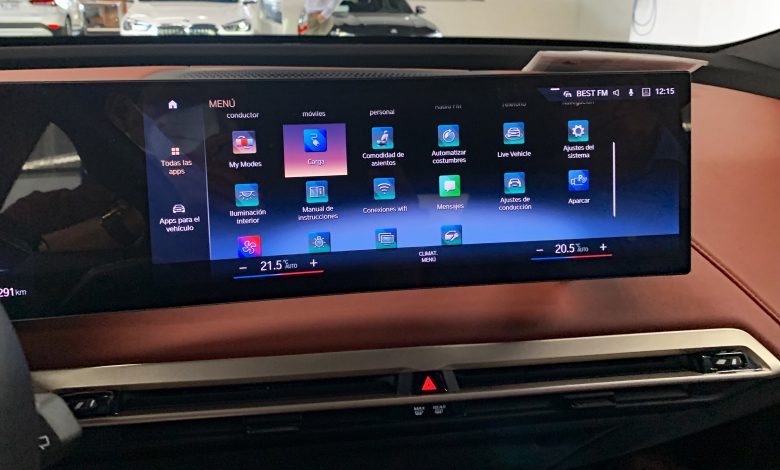
Featured image: BMW iX central screen CRI 12 2021 2732 by Mariordo (Mario Roberto Durán Ortiz), CC BY-SA 4.0. Image reproduced without editorial alteration; WordPress may create resized display copies.